下面的代码不考虑性能什么的
仅仅复现我遇到的bug
private static void removeBook(Scanner sc) {
    int delNo = sc.nextInt();

    File file = new File(FILE_PATH);
    File tempFile = new File("temp.txt");

    try (BufferedReader br = new BufferedReader(new FileReader(file));
         BufferedWriter bw = new BufferedWriter(new FileWriter(tempFile))) {

        String line;
        boolean found = false;
        while ((line = br.readLine()) != null) {
            if (!line.startsWith(delNo + "---")) {
                bw.write(line);
                bw.newLine();
            } else {
                found = true;
            }
        }

        if (found) {
            String absolutePath = file.getAbsolutePath();
            System.out.println("路径" + absolutePath);
            file.delete();
            tempFile.renameTo(file);
            System.out.println("删除成功!!!!");
        } else {
            System.out.println("未找到编号为 " + delNo);
        }
    } catch (IOException e) {
        e.printStackTrace();
    }
}
要删除的文件是
private static final String FILE_PATH = "E:\\demo.txt";
内容如下:
1---1---1
2---2---2
3---3---3
执行上面的代码你会发现竟然无法删除,而且是没有报错的删除失败,也就是内容依然在。
简单检查路径之类的细节问题后都没有问题。
在源码里查看
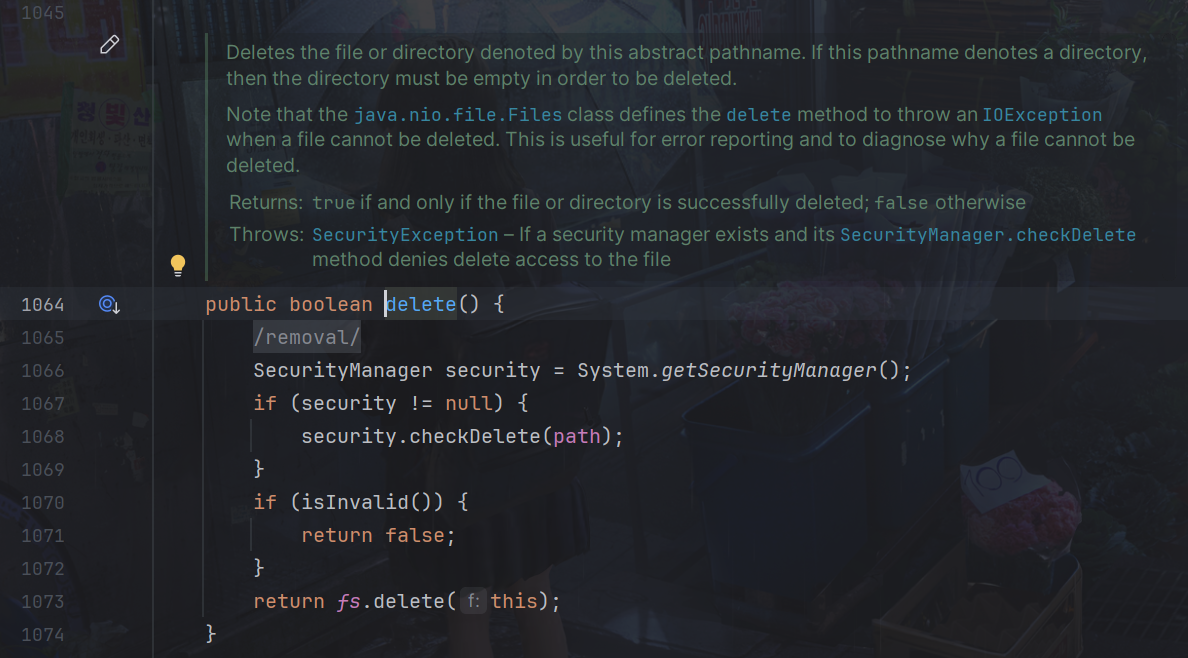
一直debug下去发现实际调用的是本地方法,那就无法debug下去了
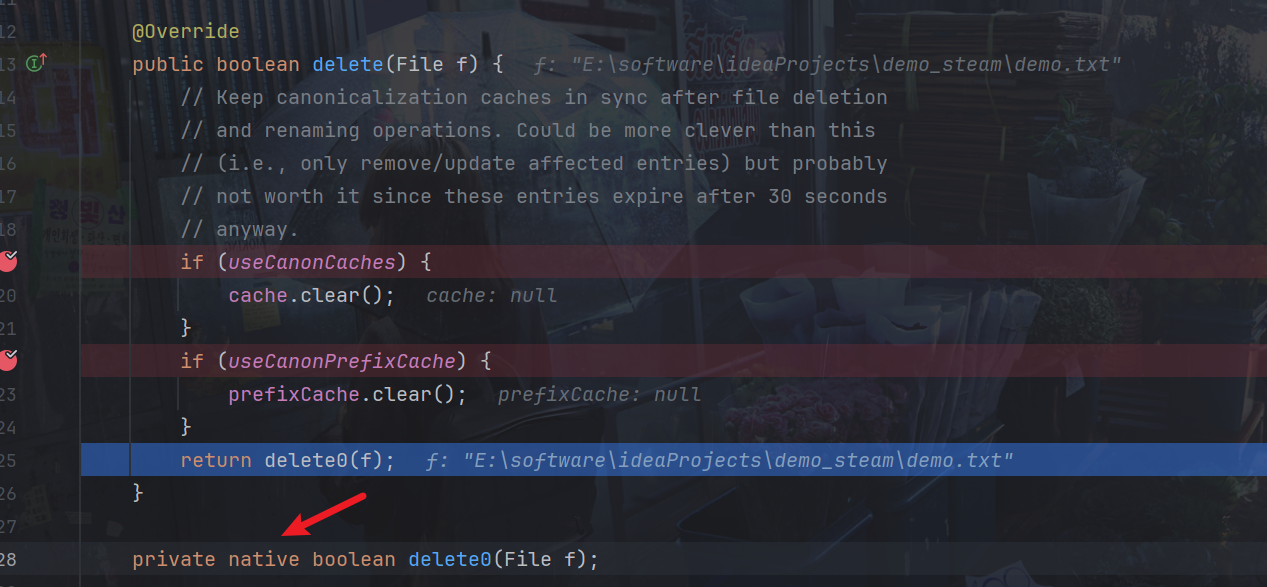
不过在调用到本地方法的路上都没有出现问题,也就是问题出在本地方法里
第一时间想到的就是更新或删除文件时,如果该文件被占用会操作失败。
也就是推测还有哪里占有着他。
简单GC一下
if (found) {
    String absolutePath = file.getAbsolutePath();
    System.out.println("路径" + absolutePath);
    boolean result = file.delete();
    int tryCount = 0;
    while(!result && tryCount++ <100)
    {
        System.gc();
        result = file.delete();
        System.out.println(tryCount);
    }
    tempFile.renameTo(file);
    System.out.println("删除成功!!!!");
} else {
    System.out.println("未找到编号为 " + delNo);
}
这样执行下来还是无法删除
也就是并不是来不及垃圾回收,而是实实在在的被占用。
好吧,其实就是上面的IO流还在占用他,也就是缺少
br.close();
bw.close();
已经使用了java7引入的语法糖 try-with-resources ,那把删除逻辑移动到try外面即可
private static void remove(Scanner sc) {
    int delNo = sc.nextInt();
    File file = new File(FILE_PATH);
    File tempFile = new File("temp.txt");
    boolean found = false;
    try (BufferedReader br = new BufferedReader(new FileReader(file));
         BufferedWriter bw = new BufferedWriter(new FileWriter(tempFile))) {

        String line;
        while ((line = br.readLine()) != null) {
            if (!line.startsWith(delNo + "---")) {
                bw.write(line);
                bw.newLine();
            } else {
                found = true;
            }
        }
    } catch (IOException e) {
        e.printStackTrace();
    }

    if (found) {
        String absolutePath = file.getAbsolutePath();
        System.out.println("路径" + absolutePath);
        boolean delete = file.delete();
        boolean b = tempFile.renameTo(file);
        System.out.println("删除成功!!!!");
    } else {
        System.out.println("未找到编号为 " + delNo);
    }
}
这样就正常删除了
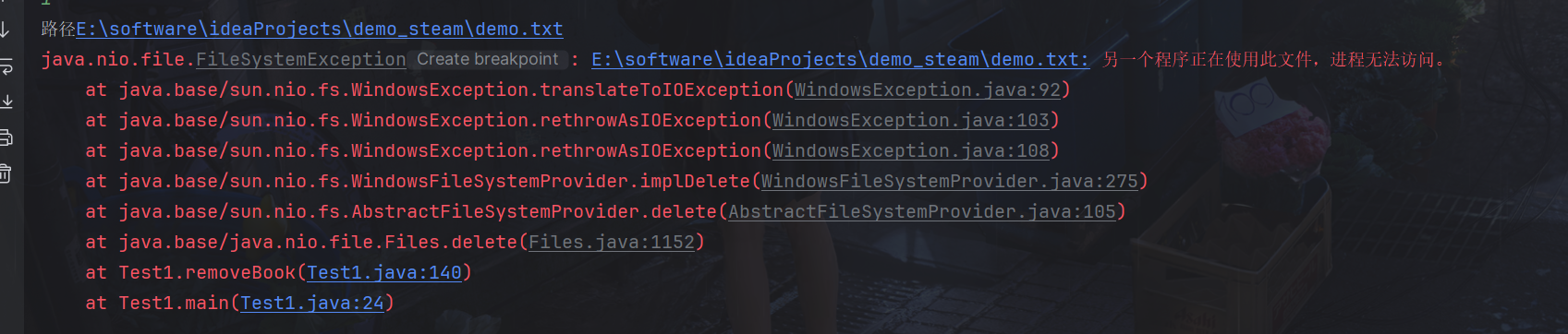
实际上上面用到的file.delete()删除失败并不会抛出异常,所以难以排除问题
如果替换成
import java.nio.file.Files;
import java.nio.file.Paths;
Files.delete(Paths.get(FILE_PATH));
这样的删除方式就可以看到上面出现的问题了,也推荐使用这种方法删除文件