ZooKeeper是一个开源的分布式协调服务,提供了高度可靠的分布式协调和管理功能。它主要用于分布式系统中的数据发布/订阅、负载均衡、命名服务、分布式锁等场景,为分布式应用提供了一致性和可靠性的基础支持。
Curator是开源的Apache ZooKeeper客户端库,它简化了与ZooKeeper的交互。
加入maven依赖
<!--curator-->
<dependency>
    <groupId>org.apache.curator</groupId>
    <artifactId>curator-framework</artifactId>
    <version>4.0.0</version>
</dependency>

<dependency>
    <groupId>org.apache.curator</groupId>
    <artifactId>curator-recipes</artifactId>
    <version>4.0.0</version>
</dependency>
1.初始化连接
ZooKeeper使用curator创建连接
使用工厂类
private CuratorFramework client;
然后对连接初始化
public void ConnectInit() {

    //重试策略
    RetryPolicy retryPolicy = new ExponentialBackoffRetry(3000,10);
    //1.第一种方式
    CuratorFramework client = CuratorFrameworkFactory.newClient("192.168.188.201:2181",
        60 * 1000, 15 * 1000, retryPolicy);

    //开启连接
    client.start();
}
CuratorFrameworkFactory.newClient是Curator框架提供的一个静态工厂方法,用于创建一个新的Curator客户端CuratorFramework实例。
CuratorFrameworkFactory.newClient需要4个参数
- connectString 连接字符串。zk server 地址和端口(集群使用“,”相隔) “192.168.188.201:2181,192.168.188.202:2181”
- sessionTimeoutMs 会话超时时间 单位ms
- connectionTimeoutMs 连接超时时间 单位ms
- retryPolicy 重试策略
重试策略ExponentialBackoffRetry(3000,10),构造函数的两个参数分别表示初始等待时间和最大重试次数。
还有其他重试策略
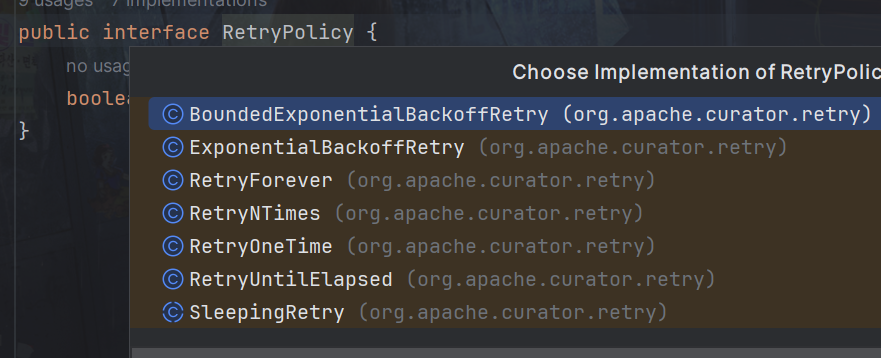
- BoundedExponentialBackoffRetry: 有界指数补偿重试策略,类似于ExponentialBackoffRetry,但限制了最大等待时间,避免等待时间无限增长。
- RetryNTimes: 固定次数重试策略,在指定的重试次数内重试请求。
- RetryOneTime: 仅重试一次的重试策略,适用于简单的应用场景。
- RetryUntilElapsed: 在指定的时间范围内重试请求,超过时间范围则停止重试。
- RetryForever: 永久重试策略,不断重试请求直到成功。
初始化连接还可以使用链式调用
client = CuratorFrameworkFactory.builder()
    .connectString("192.168.188.201:2181")
    .sessionTimeoutMs(60 * 1000)
    .connectionTimeoutMs(15 * 1000)
    .retryPolicy(retryPolicy)
    .namespace("dreams")
    .build();
当然一个资源应该被释放
public void close() {
    if (client != null) {
        client.close();
    }
}
2.创建节点
1. 基本创建
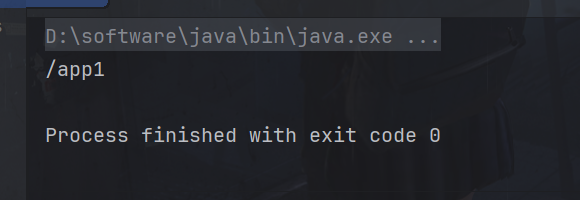
如果创建节点,没有指定数据,则默认将当前客户端的ip作为数据存储
public void testCreate2() throws Exception {
    String path = client.create().forPath("/app1");
    System.out.println(path);
}
输出

2. 创建节点 带有数据
注意传入的数据要是字节数组
String path = client.create().forPath("/app2", "dreams".getBytes());
System.out.println(path);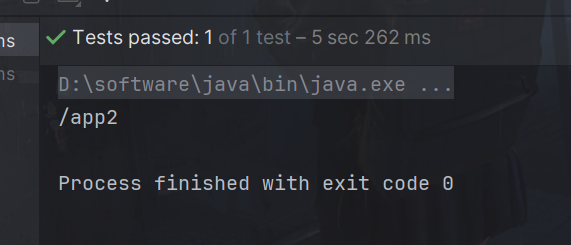

3. 设置节点的类型
默认不指定是持久化节点,withMode(CreateMode.EPHEMERAL)就是指定为临时节点
String path = client.create().withMode(CreateMode.EPHEMERAL).forPath("/app3");
System.out.println(path);
4. 创建多级节点
creatingParentsIfNeeded():如果父节点不存在,则创建父节点,如果不加做个属性,当创建的父节点不存在时会报错。
String path = client.create().creatingParentsIfNeeded().forPath("/app4/p1");
System.out.println(path);
2.查询节点
get命令
查询数据相当于客户端get命令
public void GetData() throws Exception {
    byte[] data = client.getData().forPath("/app1");
    System.out.println(new String(data));
}
ls命令
查询数据相当于客户端ls命令
List<String> path = client.getChildren().forPath("/");

System.out.println(path);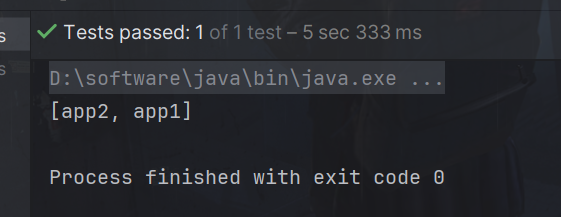
查询节点状态信息
我们需要创建一个Stat对象,storingStatIn会将查询到的数据赋值给Stat对象
Stat status = new Stat();
System.out.println(status);
//查询节点状态信息:ls -s
client.getData().storingStatIn(status).forPath("/app1");
System.out.println(status);
输出
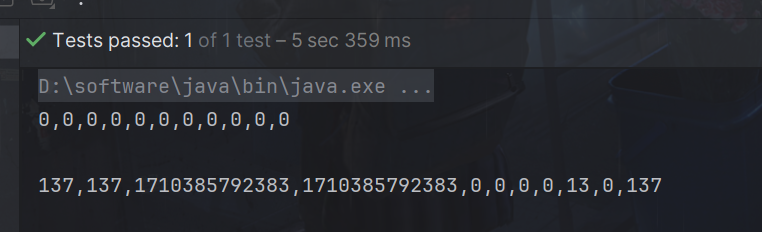
对应如下
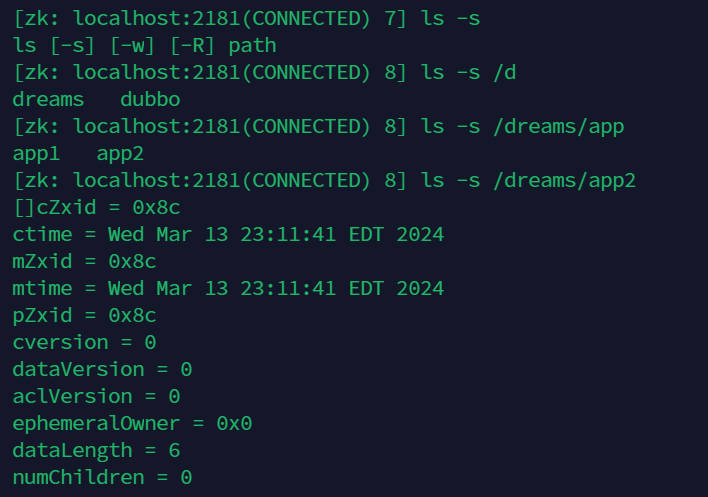
4.修改节点数据
查询数据相当于客户端set命令
public void SetData() throws Exception {
    client.setData().forPath("/app1", "dreams".getBytes());
}
但是为了解决线程不安全问题,可以使用乐观锁
Stat status = new Stat();
查询节点状态信息:ls -s
client.getData().storingStatIn(status).forPath("/app1");

int version = status.getVersion();//查询出来的
System.out.println(version);
client.setData().withVersion(version).forPath("/app1", "dreams".getBytes());
5.删除节点
删除单个节点
public void DeleteData() throws Exception {
    // 删除单个节点
    client.delete().forPath("/app1");
}
guaranteed属性确保必须删除
client.delete().guaranteed().forPath("/app2");
删除带有子节点的节点
要加入deletingChildrenIfNeeded()属性才能删除带有子节点的节点
client.delete().deletingChildrenIfNeeded().forPath("/app4");
删除得到确认
调用删除成功后,会执行该函数。
//4. 回调
client.delete().guaranteed().inBackground(new BackgroundCallback(){
    @Override
    public void processResult(CuratorFramework client, CuratorEvent event) throws Exception {
         System.out.println("我被删除了~");
        System.out.println(event);
    }
}).forPath("/app1");
完整如下:
CuratorEventImpl{type=DELETE, resultCode=0, path='/app1', name='null', children=null, context=null, stat=null, data=null, watchedEvent=null, aclList=null, opResults=null}
6.监控
Curator框架提供了对Watch事件的监听支持,使得开发者可以方便地监控ZooKeeper节点的变化并做出相应的处理。
提供了三种类型的 Watcher ,分别是:
- NodeCache : 只是监听指定的节点
- PathChildrenCache : 监控一个节点的子节点.
- TreeCache : 可以监控整个树上的所有节点,类似于PathChildrenCache和NodeCache的组合
比如NodeCache监听指定的节点
//1. 创建NodeCache对象
final NodeCache nodeCache = new NodeCache(client,"/app1");
//2. 注册监听
nodeCache.getListenable().addListener(new NodeCacheListener() {
    @Override
    public void nodeChanged() throws Exception {
        System.out.println("节点变化");

        //获取修改节点后的数据
        byte[] data = nodeCache.getCurrentData().getData();
        System.out.println(new String(data));
    }
});

//3. 开启监听.如果设置为true,则开启监听是,加载缓冲数据
nodeCache.start(true);
注意:如果该代码执行结束异步会中断,所以如果不是web一直开启,只是简单使用。可以加个死循环。
while (true){

}
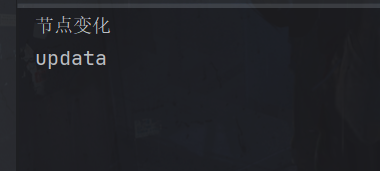
只要更改

就可以看到
PathChildrenCache对象,监听某个节点的所有子节点们
//1.创建监听对象
PathChildrenCache pathChildrenCache = new PathChildrenCache(client,"/app2",true);

//2. 绑定监听器
pathChildrenCache.getListenable().addListener(new PathChildrenCacheListener() {
    @Override
    public void childEvent(CuratorFramework client, PathChildrenCacheEvent event) throws Exception {
        System.out.println("子节点变化");
        System.out.println(event);
        //监听子节点的数据变更,并且拿到变更后的数据
        //1.获取类型
        PathChildrenCacheEvent.Type type = event.getType();
        //2.判断类型是否是update
        if(type.equals(PathChildrenCacheEvent.Type.CHILD_UPDATED)){
            System.out.println("数据变化");
            byte[] data = event.getData().getData();
            System.out.println(new String(data));

        }
    }
});
//3. 开启
pathChildrenCache.start();
TreeCache:监听某个节点自己和所有子节点们
//1. 创建监听器
TreeCache treeCache = new TreeCache(client,"/app2");

//2. 注册监听
treeCache.getListenable().addListener(new TreeCacheListener() {
    @Override
    public void childEvent(CuratorFramework client, TreeCacheEvent event) throws Exception {
        System.out.println("节点变化了");
        System.out.println(event);
    }
});

//3. 开启
treeCache.start();